1
Record it or import it.
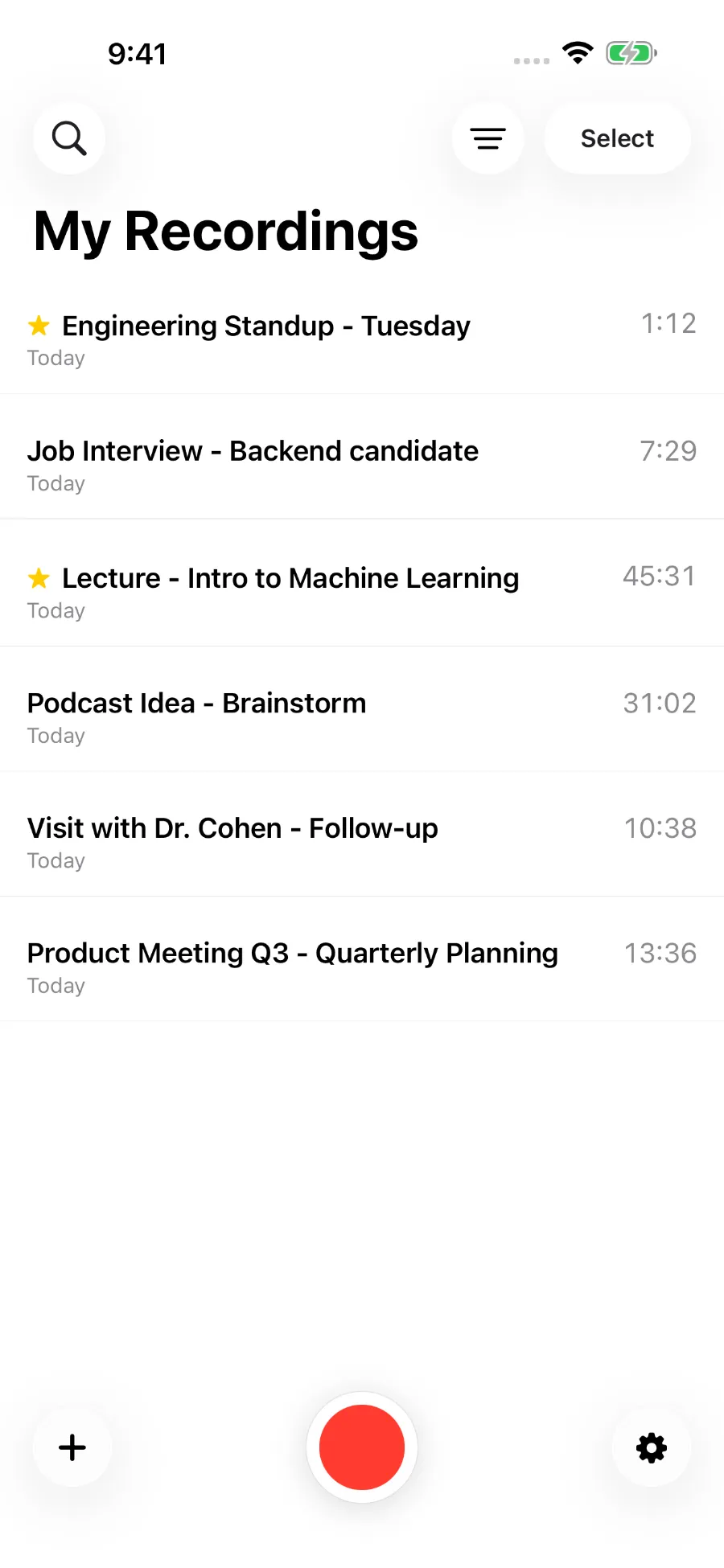
Record a meeting, lecture, interview, or idea through your device’s microphone, or import a supported audio file. Let ToText detect the language automatically, or choose a primary language and an optional second language.
 ToText
Voice recorder and transcription app
Record in ToText or import audio you already have. Search the transcript, read the summary, and review action items. Ask about a detail and get an answer based on the transcript, with the original recording there to check.
60 free transcription minutes every month. No ToText account or purchase required.
For iPhone and iPad · Transcription in 60 languages
How it works
1
Record a meeting, lecture, interview, or idea through your device’s microphone, or import a supported audio file. Let ToText detect the language automatically, or choose a primary language and an optional second language.
2
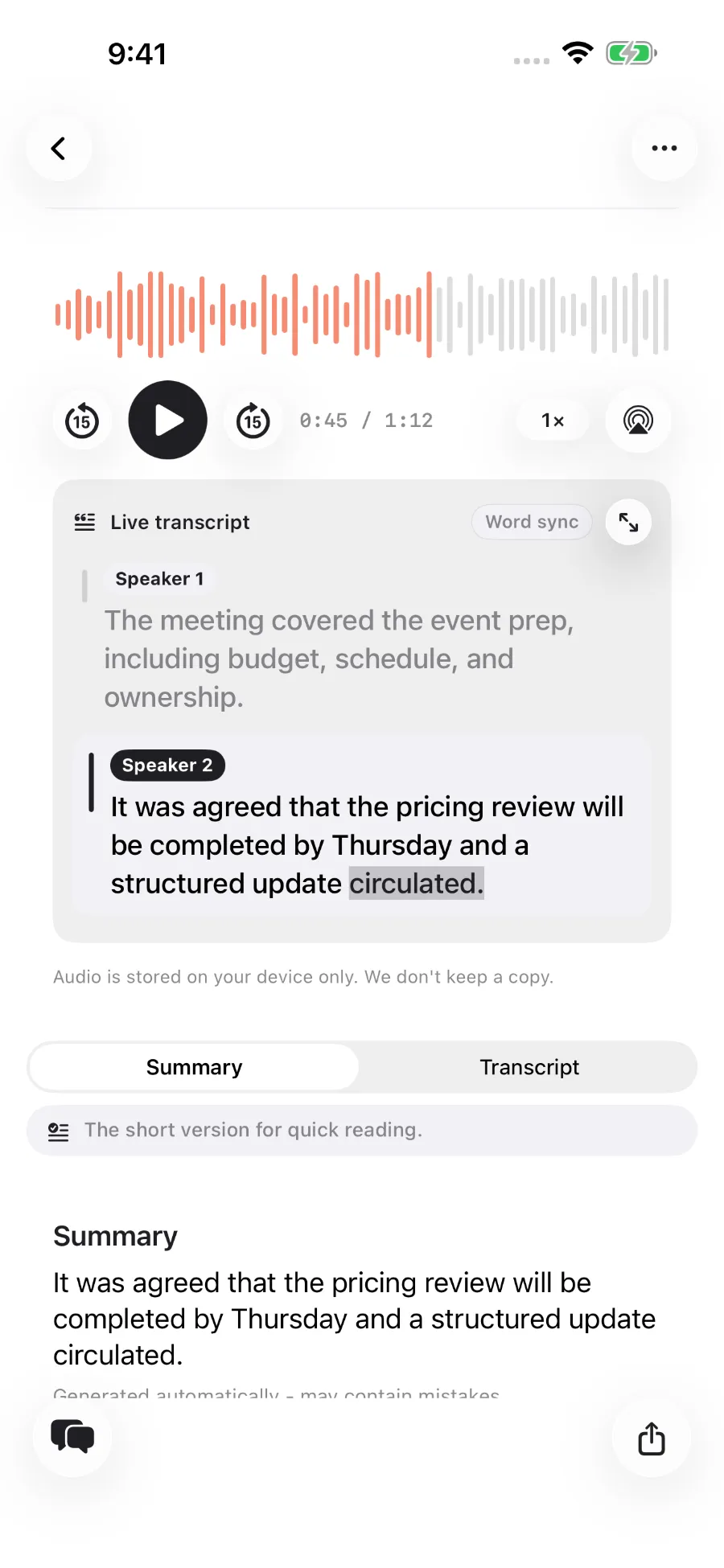
Read the summary and check for action items. The transcript and recording stay together, with speaker labels and word highlighting when available.
3
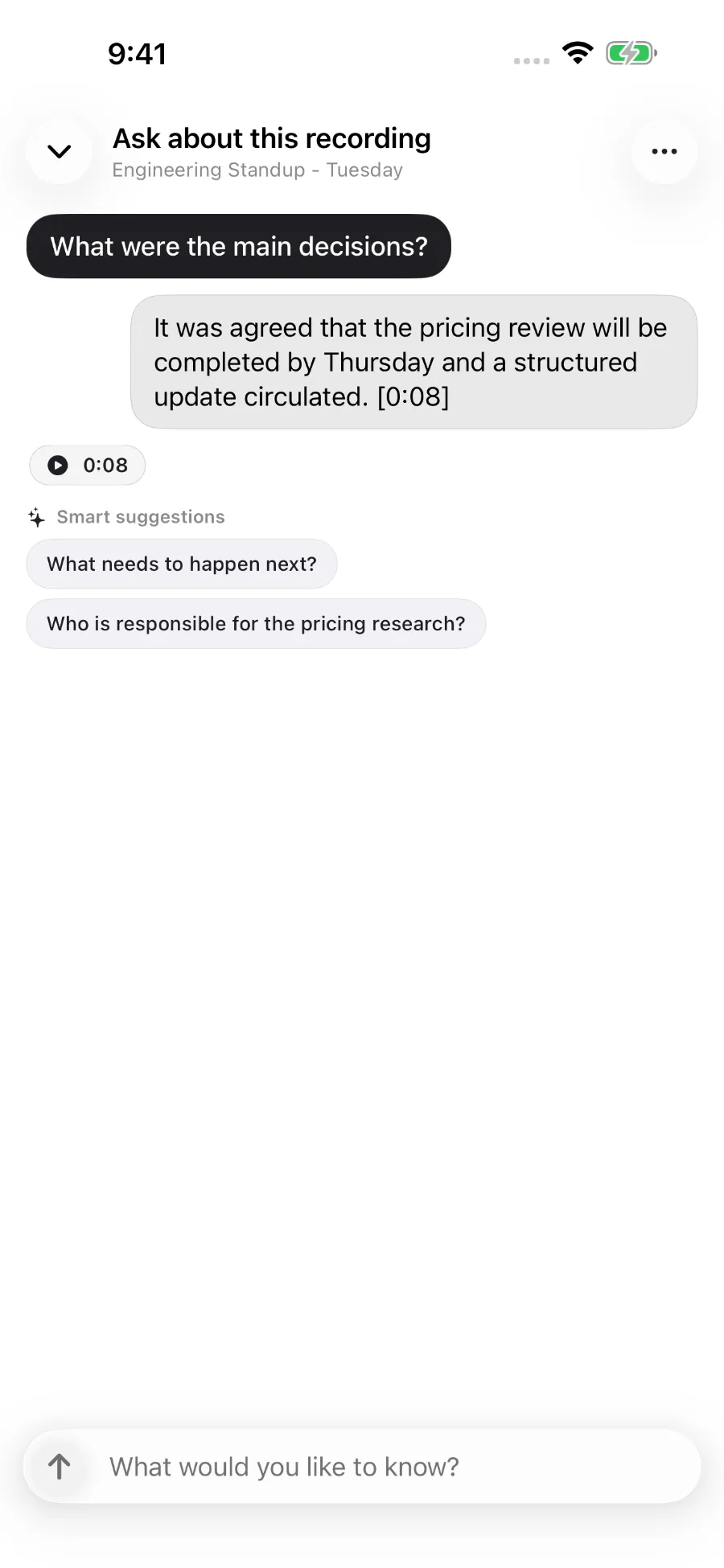
Ask a question such as “What exactly did Maya agree to deliver, and by when?” The answer is based on the transcript. When timing data is available, tap a cited timestamp to hear that part of the recording again.
Automatic transcripts and generated text can contain mistakes. Check names, numbers, and commitments against the recording.
For the details you almost remember
Read a summary of the recording and review any identified action items.
Ask in plain language and get an answer based on the transcript.
Export a PDF with the summary and transcript, save the summary as plain text, or copy either one.
For the recording you were definitely going to listen to again. Search saved transcripts, filter by tags, mark important recordings, and sort by date or length.
Transcribe speech in 60 languages. In Settings, choose a primary language and an optional second language for recordings that mix them. The transcript stays in the language or languages spoken in the recording. Generated text uses the app language you choose.
Language
The interface, titles, tags, summaries, action items, and answers are available in English. ToText does not translate transcripts; they stay in the language or languages spoken in the recording.
Privacy
Your recordings, transcripts, summaries, questions, and answers are stored on your device, with optional iCloud Drive sync.
You can use ToText without a ToText account, email address, or profile.
ToText creates a random device ID to process jobs. Monthly usage is tracked using a one-way hash of the device ID or, where enabled for paid plans, a one-way hash of Apple’s subscription identifier. No ToText profile or sign-in is required.
Recordings, transcripts, summaries, questions, and answers are stored on your device. If iCloud Drive is enabled for ToText, Apple also stores synced copies in your iCloud Drive.
On iPhone or iPad, open Settings → your name → iCloud. Tap See All next to Saved to iCloud, find ToText, and turn off syncing.
Uploaded audio is normally deleted from ToText’s processing storage about a minute after processing ends. An automatic storage rule removes any remaining uploaded copy there about a day later.
Completed results stay in temporary storage until the app downloads them. If the download fails, access is limited to 24 hours.
Transcript context may be kept for up to 30 minutes for follow-up questions. The question and relevant transcript text are sent to the AI provider to generate an answer.
A temporary copy of transcript text used for questions may remain in ToText’s rolling one-day recovery backups after access to the processing copy expires. Your saved library is unaffected.
Plans
The App Store shows current prices for paid plans in your local currency before you buy.
Free
60 transcription minutes each month
Basic
1,000 transcription minutes each month
$4.99 per month · $44.99 per year
Pro
2,000 transcription minutes each month
$9.99 per month · $89.99 per year
United States · October 11, 2026
The Free plan requires no purchase. ToText does not require a ToText account or collect payment details. Paid subscriptions renew automatically unless canceled at least 24 hours before the billing period ends. Manage or cancel them in your Apple Account settings.
Allowances reset at the start of each calendar month in UTC. Unused minutes do not roll over.
Your next recording
Start with 60 free transcription minutes every month. No ToText account or purchase required.